As a vendor, how do I provision new secrets on the CloudFormation after it's already created by the end customer?
Last updated: February 18, 2026
QUESTION
As a vendor, how do I provision new secrets on the CloudFormation after it's already created by the end customer?
ANSWER
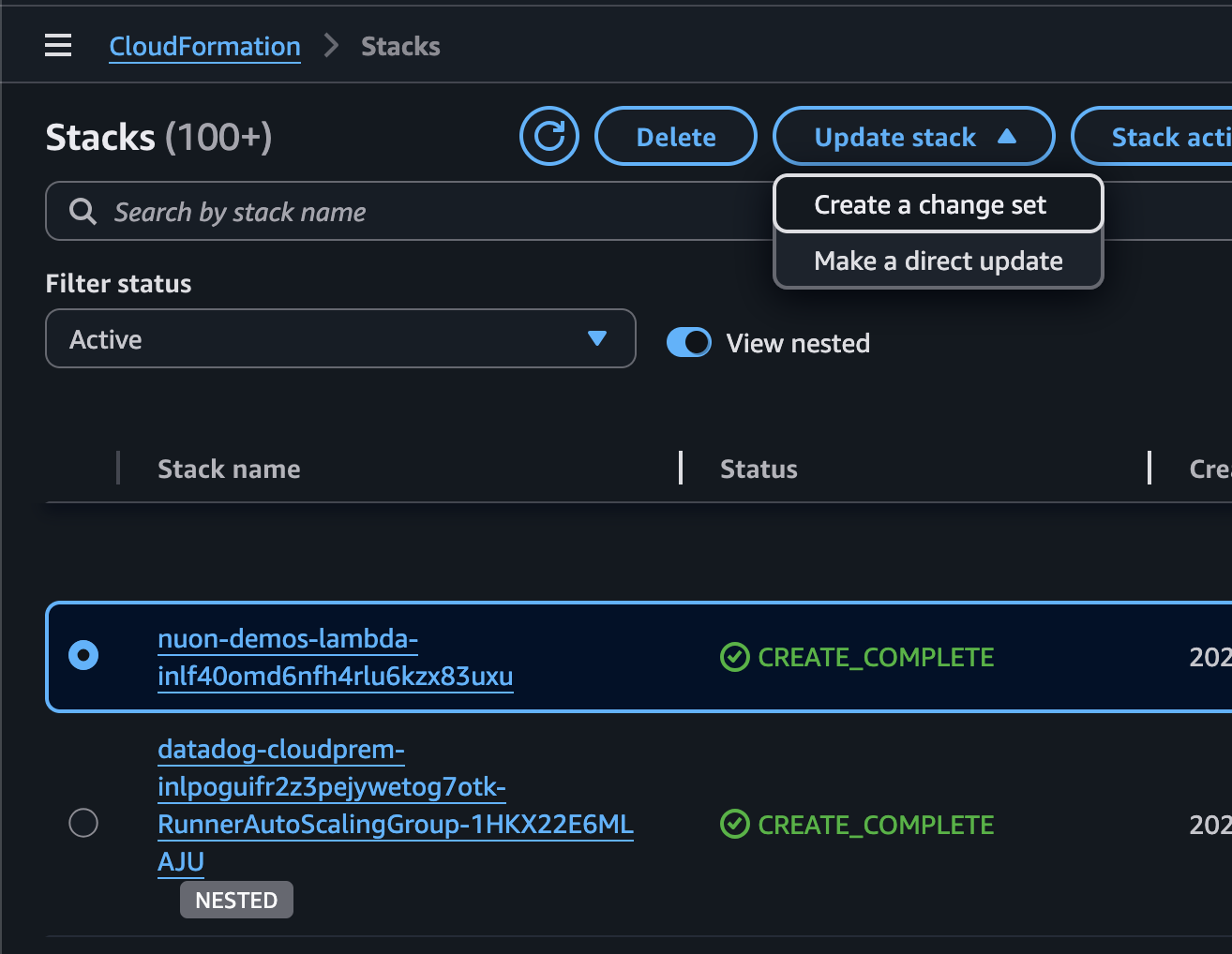
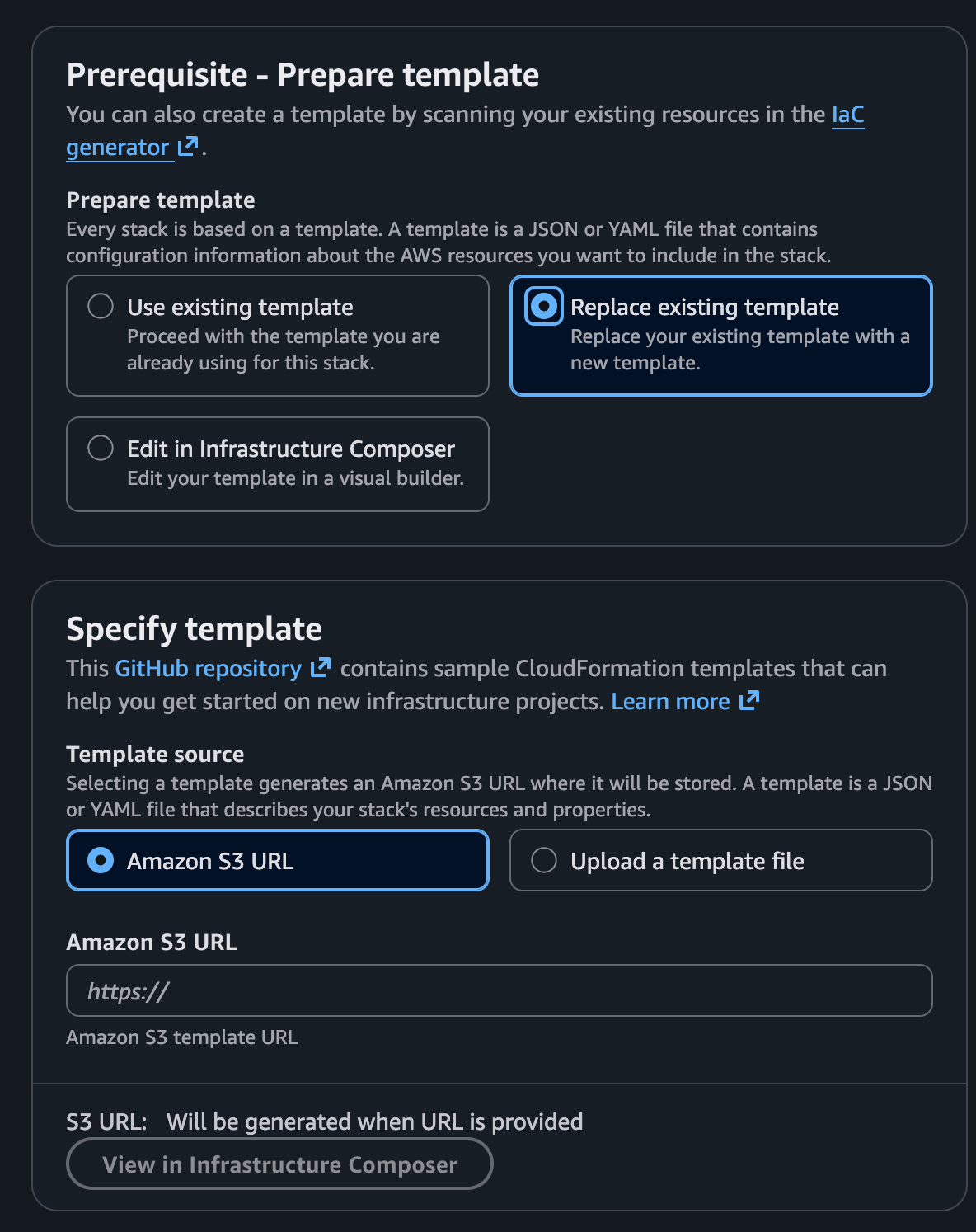
If you update the secrets, you will need to re-provision, but you don't need to re-create everything. There is a CloudFormation flow to update a stack w/ the new template. the template generated for the re-provision can be used to update the stack. we suggest using the "create a change set" in the AWS console.
fire off the re-provision flow from the Nuon dashboard
copy the new stack template
go to the CF stack in the AWS console and select the root stack
click "Update stack" > "Create a change set"
replace the template w/ the new template
This flow will only update the resources that have changed. e.g., it will add the new secrets.